Summary: This article compares online and desktop Instagram video downloaders across speed, quality, safety, and ease of use, helping you pick the best free Instagram video downloader for your needs.
Introduction
Want to save Instagram videos? You are not alone. Millions of people search for an Instagram video downloader every day.
Some prefer a quick online tool. Others want a powerful desktop app. Both work. But each has its own strengths.
This guide breaks it all down. You will find the best tools, a clear comparison, and answers to common questions.
Quick Preview
Here is a quick look at what this article covers:
- Top 4 free online Instagram video downloaders
- Top 4 desktop Instagram video downloaders
- A side-by-side comparison table
- Which tool is best for your situation
- FAQs on legal use, mobile access, and more
4 Best Online Instagram Video Downloaders
Online tools are fast and free. No download or install needed. Just paste the link and save.
- SaveInsta
SaveInsta is one of the most popular free Instagram video downloader tools online. It is simple to use. Paste the Instagram link, click download, and you are done. It supports Reels, Stories, and regular posts. No account needed.
- Igram
Igram is clean and fast. It works well on both mobile and desktop browsers. You can download Instagram videos in HD. It also supports carousels and Stories. No sign-up is required.
- FastDl
FastDl lives up to its name. It processes downloads quickly. You get video quality options before saving. It works across all major browsers. Great for one-off downloads.
- Indown.io
Indown.io is another reliable Instagram video downloader online. It has a clean interface. It supports multiple Instagram content types. Downloads are usually fast and stable.
4 Best Desktop Instagram Video Downloaders
Desktop tools are more powerful. They are ideal for batch downloads and high-quality saves. They also tend to be safer than random online sites.
- CleverGet
CleverGet is a top-rated desktop downloader. It supports Instagram and many other platforms. You can download videos in 4K quality. It also handles batch downloads with ease. Visit CleverGet Video Downloader to learn more and get started.
- 4K Stogram
4K Stogram is designed for Instagram specifically. It can download photos, videos, and Stories. You can also back up entire profiles. It is great for content creators and researchers.
- JDownloader
JDownloader is a free and open-source option. It supports hundreds of websites including Instagram. It has a queue system for bulk downloads. It needs some setup but is very powerful.
- iTubeGo
iTubeGo is a premium desktop downloader. It supports 10,000+ websites including Instagram. Downloads are fast and high quality. It also has a built-in browser for easy link capture.
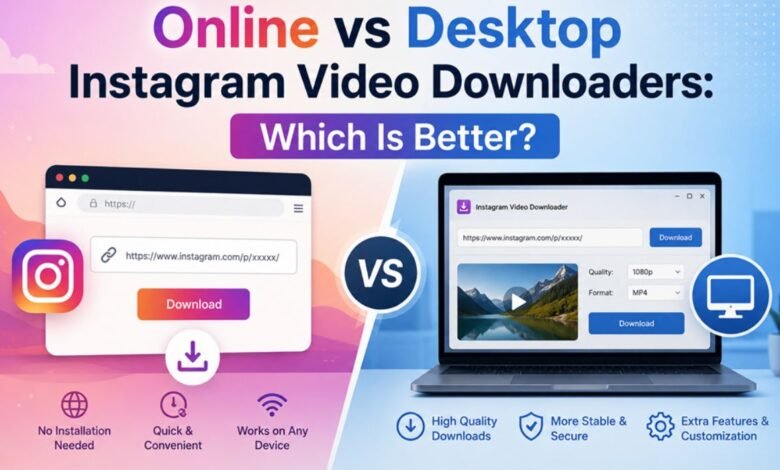
Online vs Desktop Instagram Video Downloaders: What Are the Differences?
Use this table to compare both options quickly:
| Feature | Online Tools | Desktop Tools | Winner | Notes |
| Ease of Use | ⭐⭐⭐⭐⭐ Very easy | ⭐⭐⭐ Moderate | Online | No setup needed |
| Download Speed | Depends on internet | Fast & consistent | Desktop | Network-dependent online |
| Video Quality | Up to 1080p usually | Up to 4K+ | Desktop | Desktop offers more formats |
| Safety & Privacy | Risk of ads/trackers | Safer, local use | Desktop | Avoid shady online sites |
| Device Compatibility | Any device + browser | Windows/Mac only | Online | Online works on mobile too |
| Batch Downloading | Limited or none | Yes, supported | Desktop | Desktop handles bulk easily |
| Cost | Free (ad-supported) | Free or paid plans | Tie | Both have free options |
| Installation Required | No | Yes | Online | Online needs zero setup |
If you prefer not to install anything, you might also explore online video recorders as an alternative way to capture video content from your screen.
Which Option Is Better for Different Users?
The best tool depends on what you need. Here is a simple guide:
- Casual users: Use an online Instagram video downloader free tool. SaveInsta or Igram will work perfectly.
- Mobile users: Online tools are your best bet. They work directly in any browser.
- Content creators: Go desktop. CleverGet or 4K Stogram offer batch downloads and better quality.
- Privacy-conscious users: Prefer desktop apps. They do not rely on third-party web servers.
- Beginners: Start with an online tool. No setup means less hassle.
- Power users: Desktop tools give you more control, higher quality, and faster bulk downloads.
Conclusion
Both online and desktop Instagram video downloaders have clear advantages. Online tools win on speed and simplicity. Desktop tools win on quality, safety, and batch downloads.
If you just need a quick save, use an online tool like SaveInsta. If you download videos regularly or in bulk, go with a desktop app like CleverGet.
Either way, always respect copyright rules and Instagram’s terms of service when you download content.
FAQs
- Is it legal to download Instagram videos?
It depends on how you use the content. Downloading for personal viewing is generally tolerated. Sharing or reposting someone else’s content without permission may violate copyright law. Always check Instagram’s terms of service before downloading.
- Can I download Instagram videos on mobile devices?
Yes. Online tools work great on mobile browsers. Just open the tool, paste the video link, and tap download. Desktop apps, however, require a computer to install and run.
- Do Instagram video downloaders work on private accounts?
No. Most downloaders only work with public Instagram accounts. To download from a private account, you would need to be a follower and use specific tools. This is also a gray area legally and ethically.
- Can I batch download multiple Instagram videos at once?
Online tools usually do not support batch downloads well. Desktop tools like CleverGet, 4K Stogram, and JDownloader all support downloading multiple videos at once. This makes desktop apps better for bulk tasks.
- Do I need an Instagram account to use downloaders?
For most public content, no account is needed. You only need to paste the video URL into the tool. However, downloading Stories or content from private accounts may require you to be logged in.
- Can I save Instagram videos as MP4 files?
Yes. Most online and desktop Instagram video downloaders save videos in MP4 format by default. Some desktop tools also offer additional formats like MKV or MOV, depending on your needs.