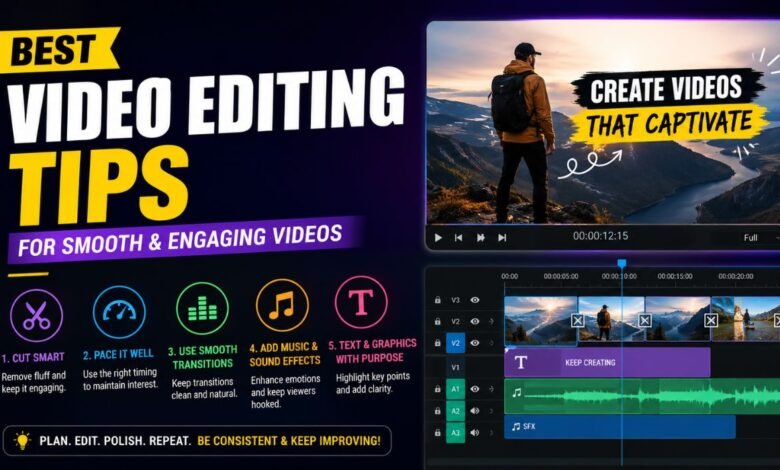
Video content has become one of the most powerful ways to communicate online. From YouTube tutorials and podcasts to TikTok clips and business promotions, videos now shape how people learn, shop, and entertain themselves. However, recording good footage is only part of the process. The real magic often happens during editing. Strong editing can turn ordinary clips into professional and engaging content that keeps viewers watching from beginning to end.
Learning useful Video Editing Tips is important for beginners and experienced creators alike. Good editing improves storytelling, removes distractions, creates emotional impact, and gives videos a polished appearance. Even simple changes like tighter cuts, cleaner audio, or smoother transitions can dramatically improve the final result.
Modern audiences expect fast, clear, and visually interesting videos in 2026. Whether you create content for social media, online courses, marketing, or filmmaking, understanding how editing works can help your videos stand out in a crowded digital world. The good news is that professional-looking edits are no longer limited to big studios. Today’s editing tools make it possible for anyone to create high-quality videos from home.
Quick Bio Information
| Topic | Helpful Information |
|---|---|
| Main Goal Of Editing | Improve storytelling and viewer engagement |
| Best Beginner Software | DaVinci Resolve |
| Most Important Editing Skill | Strong storytelling |
| Common Editing Style | Tight cuts with smooth pacing |
| Best Export Format | MP4 using H.264 codec |
| Popular Social Video Format | Vertical 9:16 |
| Ideal YouTube Resolution | 1080p or 4K |
| Key Audio Tip | Keep dialogue clear and balanced |
| Common Beginner Mistake | Overusing transitions |
| Helpful Editing Technique | Split edits |
| Best Way To Hide Cuts | Use B-roll footage |
| Professional Editing Secret | Invisible editing |
| Useful Shot Type | Close-up shots for emotion |
| Recommended Workflow | Organize footage before editing |
| Editing Improves Watch Time | Yes, significantly |
| Best Review Method | Watch with fresh eyes |
| Strong Pacing Creates | Better engagement |
| Music Helps Build | Mood and emotional tone |
Understand The Purpose Of Your Video
Before opening editing software, it is important to understand the goal of the video. Every editing decision should support the message, mood, and audience expectations. A fast-paced gaming video needs a very different editing style than a documentary interview or educational tutorial.
Professional editors often begin by asking simple questions. Who is the audience? What emotion should viewers feel? What action should they take after watching? These answers guide everything from pacing and music selection to transitions and shot choices.
Videos made for platforms like YouTube and TikTok usually benefit from shorter scenes and quicker cuts because online viewers often lose attention quickly. Educational videos, on the other hand, require slower pacing and clearer explanations so viewers can absorb information comfortably.
Having a clear direction before editing also saves time. Editors who understand the purpose of a project are less likely to include unnecessary footage that distracts from the main message.
Organize Footage Before Starting The Edit
One of the most overlooked Video Editing Tips is proper organization. Many beginners jump directly into editing without sorting their files, which can create confusion later. A clean workflow helps editors work faster and avoid mistakes.
Professional editors usually organize footage into folders such as:
- Main Footage
- Audio Files
- Music
- Graphics
- B-Roll
- Exports
Clear file names also make editing much easier. Instead of random names like “Clip001,” editors often rename files according to scenes or topics. This becomes especially useful for larger projects with hundreds of clips.
Backing up project files is equally important. Losing footage because of hard drive failure can destroy hours of work. Many creators now use cloud storage or external drives to protect projects safely.
Good organization improves focus and allows editors to spend more time improving storytelling rather than searching for missing files.
Build A Strong Rough Cut First
A rough cut is the first basic version of a video. At this stage, editors focus on structure rather than effects or visual polish. The goal is to arrange scenes logically and remove obviously unnecessary footage.
This part of editing is where storytelling truly begins. Editors decide:
- Which moments are important
- Which clips feel repetitive
- Where scenes should start and end
- How information flows naturally
Strong storytelling matters more than fancy visual effects. A simple but clear video will almost always perform better than a confusing video filled with unnecessary transitions and graphics.
Many experienced editors recommend completing the rough cut before adding music, color grading, or animations. This keeps the focus on pacing and narrative flow first.
Make Tight Cuts For Better Viewer Retention
One of the most effective Video Editing Tips is learning how to cut aggressively. Modern viewers prefer videos that move quickly and avoid wasted time. Long pauses, repeated explanations, and slow introductions often cause audiences to click away.
Tight cuts help maintain energy and engagement. Editors commonly remove:
- Silent pauses
- Filler words
- Repeated phrases
- Slow reactions
- Unnecessary camera movements
This approach is especially important for social media content where competition for attention is intense. Many successful YouTubers and online creators trim every second carefully to keep videos fast and focused.
However, fast editing should still feel natural. Cutting too quickly can confuse viewers or make videos exhausting to watch. The best edits balance speed with clarity.
Choose The Best Camera Angles And Shot Types
Different camera angles affect how viewers experience a scene emotionally. Wide shots help establish location and context, while close-ups highlight emotions and facial expressions.
Medium shots are commonly used during conversations because they feel balanced and natural. Reaction shots also play a major role in storytelling because they help audiences connect emotionally with characters or speakers.
Good editors choose shots based on what supports the story best, not simply what looks visually impressive. Sometimes a simple close-up communicates emotion more effectively than a dramatic cinematic shot.
In interviews, switching between multiple camera angles can also hide cuts smoothly and make long conversations more visually dynamic. This technique helps maintain viewer interest during slower scenes.
Use B-Roll To Make Videos More Engaging
B-roll refers to supplemental footage placed over the main video or audio. It is one of the most valuable tools in modern editing because it improves pacing and visual interest.
Examples of B-roll include:
- City scenes
- Product close-ups
- Computer screens
- Nature footage
- Hands typing
- Behind-the-scenes clips
B-roll serves several important purposes. It hides jump cuts, supports storytelling, adds context, and keeps viewers visually engaged. Many editors use short B-roll sequences throughout talking-head videos to prevent scenes from feeling static.
A common technique is using groups of three B-roll clips because this rhythm often feels natural to viewers. Editors also carefully match B-roll with narration so visuals support the spoken message.
Use Simple Transitions Instead Of Excessive Effects
Beginners often overuse flashy transitions because they seem exciting. In reality, professional editors usually prefer simple cuts and subtle transitions.
Straight cuts are the most common editing transition because they feel clean and natural. Fades and dissolves are also useful when moving between scenes or showing time passing.
Too many spinning effects, zoom transitions, or dramatic animations can distract viewers from the story itself. Smooth editing should guide the audience without constantly drawing attention to the editing process.
Professional videos often feel polished because the transitions are nearly invisible. The focus remains on the content rather than the effects.
Improve Audio Quality For Professional Results
Poor audio can ruin even visually beautiful videos. Viewers are often more forgiving of average visuals than unclear sound. This is why sound editing is one of the most important Video Editing Tips for beginners.
Editors typically improve audio by:
- Removing background noise
- Balancing voice levels
- Reducing echoes
- Adding background music carefully
- Using fade-ins and fade-outs
Music also influences emotion and pacing. Fast music creates energy, while slower music builds emotional depth or tension. However, music should never overpower dialogue.
Many creators now use AI-powered audio cleanup tools inside software like Adobe Premiere Pro and DaVinci Resolve to improve sound quality quickly.
Learn How Pacing Changes Viewer Experience
Pacing refers to the rhythm and speed of edits. It strongly affects how audiences feel while watching a video. Fast pacing creates excitement, while slower pacing creates suspense or emotional depth.
Different content styles require different pacing methods. Educational videos usually need slower cuts so viewers can process information. Action videos benefit from faster editing to maintain energy.
Strong pacing often comes from understanding audience psychology. Editors carefully control how long shots remain on screen and when transitions occur. Good pacing keeps viewers interested without overwhelming them.
Music, dialogue rhythm, and scene length all contribute to pacing. Skilled editors combine these elements naturally so videos feel smooth and intentional.
Use Split Edits For Natural Conversations
Split edits are a professional editing technique used in films, interviews, and documentaries. They occur when audio and video transitions happen at different times.
An L-cut allows audio from the previous scene to continue while the next visual appears. A J-cut does the opposite by introducing new audio before the visual changes.
These techniques create smoother scene transitions and more natural conversations. Instead of cutting mechanically between speakers, split edits allow viewers to stay emotionally connected to the discussion.
Many documentaries and cinematic YouTube videos rely heavily on split edits because they improve storytelling flow without feeling distracting.
Color Correction And Color Grading Matter
Color plays a major role in how videos look and feel. Even high-quality footage can appear unprofessional if colors are inconsistent or poorly balanced.
Color correction focuses on fixing technical issues like:
- Brightness
- Contrast
- White balance
- Exposure
Color grading is more creative and helps establish mood or visual style. Warm colors often create comfort, while cooler tones can feel dramatic or serious.
Modern editing software like Final Cut Pro and CapCut now include beginner-friendly color tools that simplify the process considerably.
Avoid Common Editing Mistakes
Many beginner editors make similar mistakes early in their learning journey. Overusing transitions is one of the most common problems. Another issue is leaving scenes too long because editors become emotionally attached to footage.
Poor pacing, inconsistent audio, shaky footage, and excessive visual effects can also reduce video quality significantly.
One helpful habit is stepping away from a project before final review. Returning with fresh eyes makes mistakes easier to notice. Many professional editors also watch their videos silently during review to focus entirely on pacing and visual flow.
Learning from mistakes is a normal part of improving editing skills.
Choose The Right Editing Software
Choosing the right software depends on editing goals, experience level, and budget. Fortunately, modern editors have many excellent options available.
Popular choices include:
- Adobe Premiere Pro
- DaVinci Resolve
- Final Cut Pro
- CapCut
- iMovie
DaVinci Resolve is especially popular in 2026 because its free version includes professional-level editing and color grading tools. CapCut remains highly popular for mobile creators and short-form social media videos.
The best software is ultimately the one that fits your workflow and allows you to edit comfortably.
Review And Export Videos Carefully
Before publishing, editors should carefully review the entire project multiple times. Watching videos on different devices can reveal issues with sound, brightness, or subtitles.
Editors also check for:
- Spelling errors
- Audio pops
- Abrupt cuts
- Timing mistakes
- Export quality problems
Export settings are equally important. Most online platforms recommend MP4 files using the H.264 codec because it balances quality and file size effectively.
Resolution and frame rate should match the platform requirements. YouTube videos often perform best at 1080p or 4K, while vertical formats work better for TikTok and Instagram Reels.
Final Thoughts
Learning Video Editing Tips takes time, practice, and patience, but even small improvements can dramatically increase video quality. Great editing is not about using the most expensive software or adding flashy effects everywhere. It is about guiding viewer attention, supporting storytelling, and creating a smooth experience from beginning to end.
The most successful editors understand that every cut, transition, sound effect, and shot choice affects how audiences feel. As online video continues growing in 2026, creators who develop strong editing skills will have a major advantage across YouTube, business marketing, filmmaking, education, and social media.
The best way to improve is through consistent practice. Experiment with pacing, study professional videos carefully, and continue learning new techniques over time. Every project teaches valuable lessons that help editors grow more confident and creative.
FAQs About Video Editing Tips
What Are The Most Important Video Editing Tips For Beginners?
Beginners should focus on storytelling, clean audio, tight cuts, and proper pacing. Organizing footage and learning basic transitions are also very important. Simple edits usually work better than excessive effects.
Which Video Editing Software Is Best For Beginners?
DaVinci Resolve and CapCut are popular beginner-friendly choices because they offer powerful tools with relatively simple interfaces.
Why Is Audio So Important In Video Editing?
Viewers can tolerate average visuals, but poor sound often makes them stop watching immediately. Clear dialogue, balanced music, and reduced background noise improve professionalism and viewer trust.
What Is B-Roll In Video Editing?
B-roll is extra footage used to support the main video. It helps hide cuts, improve pacing, and make videos more visually engaging. Examples include product shots, scenery, or close-up actions.
How Can I Make My Videos Look More Professional?
Professional videos usually have clean cuts, balanced audio, smooth pacing, good lighting, and consistent color correction. Avoiding excessive transitions also helps videos feel polished.
What Is The Difference Between Color Correction And Color Grading?
Color correction fixes technical problems like brightness and white balance. Color grading adds a creative style or mood to the footage after corrections are complete.
How Long Does It Take To Learn Video Editing?
Basic editing skills can be learned within a few weeks, but mastering storytelling, pacing, and advanced techniques often takes years of consistent practice and experimentation.
Why Do Professional Videos Feel Smooth?
Professional editors carefully control pacing, transitions, shot selection, and audio flow. Good editing feels natural and invisible, allowing viewers to stay focused on the story rather than the editing itself.
Please Read Also: Soap2Day Explained: Features, Streaming Quality, And What Users Should Know